Homer | Web Dashboard
Install on Docker
Pull the docker image https://hub.docker.com/r/b4bz/homer
**Homer docker compose .yml** https://github.com/bastienwirtz/homer
version: "2"
services:
  jellyfin:
    image: b4bz/homer:latest
    container_name: homer
    environment:
      - PUID=1001
      - PGID=1001
      - PST=America/Los Angeles
    volumes:
      - /mounted/local/storage/location/:/www/assets
    ports:
      - 8091:8080
    restart: always
Homer Functions
Server app card status dot:
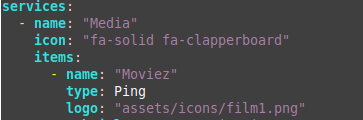
In the config file, include the "type: Ping" for the status dot.
-Note: Make sure the P is capitalized, with no quotes. It will not work otherwise. This should work with or without quotes.
services:
  - name: "Media"
    icon: "fa-solid fa-clapperboard"
    items:
      - name: "Moviez"
        type: Ping   #make sure to include a cap "P"
        logo: "assets/icons/film1.png"
        subtitle: "It's Movie Time!"
        tag: "Jellyfin"
        url: "https://moviez.danicus.net"
      - name: YouTube
        type: "Ping"   #make sure to include a cap "P"
        logo: "assets/icons/youtube1.png"
        subtitle: "Tube it up"
        tag: "JewTube"
        url: "https://www.youtube.com/"
      - name: Netflix
        type: Ping   #make sure to include a cap "P"
        logo: "assets/tools/netflix1.jpg"
        subtitle: "Netflix-n-chill"
        tag: "Netflix"
        url: "https://www.netflix.com/"